More ways to complete the collection.
Enable methods compatible with your currency, market and account setting.
- Card, Pix and boleto in compatible BRL operations
- OXXO for MXN enabled operations
- USDC and USDT for USD enabled operations


It manages digital charges for assisted sales, WhatsApp, CRM, service and social media, with multiple means of payment, partitioning, Order Bump, customization and follow-up on the IOPAY portal.
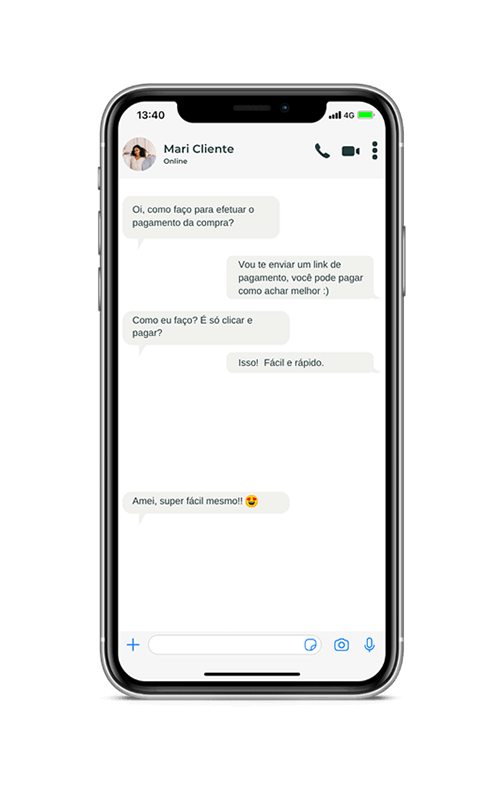
Set up payment methods, installments, offers, appearance and business rules in a single link, ready for distribution across major digital channels.
Enable methods compatible with your currency, market and account setting.
It shall define the condition allocated to the negotiation and the rules enabled for its operation.
Offer additional products or services before payment is completed, without creating another charge.
It sets out rules for use for proposals, spot charges, campaigns or recurring links.
Customize the experience without developing your own checkout for each charge.
Connect the collection to the distribution of securities and the transactional monitoring of the company.
The link connects setup, sharing, checkout and reconciliation in a single stream, reducing the steps between sale and confirmation of the collection.
Payment links allows you to complete billing directly through liaison, service and prospecting channels without requiring a new purchase journey.
Share the charge directly into the conversation and lead the customer to the payment page.
Include the link in the trade stream to connect qualified opportunities to the payment stage.
Provide charges during support interactions, customer success or tele-selling.
Target digital campaigns, messages and actions to a structured collection.
Allow field teams to share charges without relying on a specific checkout.
Send the invoice for tenders, services and commercial communications using the same payment page.
The payment link allows the collection to be entered into the trade flow itself, preserving the context of the negotiation until payment is confirmed.
Opportunity enters the funnel by campaign, indication, prospecting or attendance.
The product, value, conditions and scope of the sale are defined by the sales team.
The team formalizes the trading conditions and prepares the collection.
The link is shared on the channel used during the negotiation.
The payment status can feed CRM, service and operational routines.
Define the link conditions in accordance with the negotiation and the rules of the operation.
The customer accesses a page dedicated to the collection, with the identity, methods and conditions set by the company.
Each link remains connected to the payment transaction, allowing you to track status, transactions, receivables and settlement in a single environment.
Identify active, pending, completed, expired or unavailable receivables.
See payments originated by the link and relate method, value, customer and transaction references.
Connect the payment to the company's financial vision and receipt schedule.
Relate the commercial charge to the respective financial and conciliation flows.
Follow the result of each collection with centralized business references and operating status.
The centralisation allows different areas to consult the same payment status without dependence on parallel controls.
API V2 extends the integration of Payment Links with current billing creation, customization, consultation and management capabilities.

The V2 version allows the main link features to be set up directly by API, keeping the operation connected to the IOPAY ecosystem.
// criando um link de pagamento pela API V2
{
  "title": "Pedido #1001",
  "description": "Compra de produtos diversos",
  "status": "enabled",
  "open_at": null,
  "end_at": null,
  "max_payments": 1,
  "max_installment": 3,
  "highlight_installment_condition": true,
  "enabled_payment_methods": {
    "credit": true,
    "pix": true,
    "boleto": true
  },
  "pass_interest_to_customer": true,
  "customer_interest_starts_at_installment": 1,
  "primary_color": "4099b4",
  "items": [
    {
      "name": "Produto principal",
      "amount": 60000
    }
  ],
  "order_bump_items": [
    {
      "name": "Garantia estendida",
      "amount": 15000
    }
  ]
}Use payment links in spot charges, assisted sales, services, campaigns and business funnel integrated operations.
Share the charge when the opportunity is qualified and the trading conditions are set.
It covers professional services, projects, reservations or contracts without developing a dedicated checkout.
Provide the collection during interactions with service, support or sales staff.
Allow sellers to share digital invoices in face-to-face or external transactions.
Use links in targeted communications, campaigns and journeys with a predefined product or service.
Use the Order Bumps feature of the link to offer optional items at the checkout itself before payment is completed.
This Privacy Policy explains in a transparent manner how IOPAY processes personal data related to access to and use of its websites, platforms, products, services, service channels, registration processes and other interactions with users, customers, representatives, partners and visitors
IOPAY S/A Payout Institution, registered with CNPJ No 19.786.646/0001-74, with its registered office at Av. Nove de Julho, 4877, 2o andar B, Jardins, São Paulo/SP, offers infrastructure, technology and solutions for payment transactions.
In accordance with the relationship with IOPAY, we may process registry and identification data, contact data, professional and business information, data necessary for registration and verification processes, technical and security records, IP address, device identifiers, navigation information, access records and data related to interactions with our products and channels.
Where necessary for the provision of services, compliance with legal or regulatory obligations, fraud prevention and security of operations, other categories of data may be processed in accordance with the applicable purpose and legislation.
The processing may take place on the basis of the legal bases provided for in Law No 13.709/2018, including, as the case may be, performance of a contract or preliminary proceedings, compliance with a legal or regulatory obligation, regular exercise of rights, legitimate interest, fraud prevention and security of the holder, credit protection and consent.
Data may be shared, where necessary, with providers of technology, infrastructure, security, fraud prevention, storage, service, analytics, financial institutions, banks, acquirers, accreditors, payment institutions, arrangements and other participants or providers involved in the provision of contracted solutions.
Share-up may also take place where necessary for compliance with a legal, regulatory or determination of competent authority, or for the regular exercise of rights.
Data shall be kept for the period necessary to fulfil the purposes for which it was collected, subject to applicable legal and regulatory deadlines, audit needs, fraud prevention, security, rights defence and other legally permitted scenarios.
IOPAY shall take technical, administrative and organisational measures to protect personal data and the environment under its responsibility, taking into account the nature of the information, the risks involved and the characteristics of the operations carried out.
The website uses cookies and similar technologies for essential functionality and, according to user preferences, for analysis, performance and marketing Preferences can be changed at any time through the option Cookie preferences available at the website footer
Under applicable law, the holder may request, among other rights applicable to the case, confirmation of the existence of processing, access, correction, information about sharing, anonymization, blocking or deletion where possible, portability under the regulations, opposition where applicable and revocation of consent.
Requests related to privacy and data protection can be sent through IOPAY's official channels:
This Policy may be updated to reflect legal, regulatory, technological, operational or related changes to IOPAY products and services. The current version will be made available on the company's official channels
This Cookie Policy explains how IOPAY uses cookies and similar technologies on its websites and digital pages, what categories can be used and how the user can manage their preferences
Cookies are small files or records used by websites and applications to store or consult certain information on a user's device They can enable essential functionalities, strengthen security mechanisms, remember preferences and assist in performance measurement and campaigns
On the first visit, the user can accept all optional cookies, use only the necessary ones or set individual preferences
Optional cookies classified as analytics/performance or marketing should not be activated by IOPAY before the corresponding manifestation of the user, where processing depends on consent.
User can review their choices at any time using the link Cookie preferences available in the footer The amendment may have effect for future uses of the technologies covered by the new preference
Some functionalities or tools integrated into the website may be provided by third parties. Where such technologies depend on consent, their activation should respect user-registered preferences.
Cookie selection may be recorded on the device so that the website can recognize the decision on subsequent visits IOPAY may request a new choice when there is a relevant change to this policy, the categories used or the consent mechanism.
For information on the processing of personal data related to the use of cookies, see also the Privacy Policy and the LGPD & Holder's Rights section
IOPAY recognises the importance of protecting personal data and establishes this section to present principles, commitments and channels related to the General Data Protection Act — Law No 13.709/2018 (LGPD).
IOPAY seeks to process personal data in a manner consistent with the purposes for which it was notified, while respecting the principles and requirements of the GDPR, including transparency, necessity, adequacy, security, prevention and accountability.
Depending on the product, service and relationship established, IOPAY may act as a controller of certain treatments or as a personal data controller on behalf of its customers and partners. The applicable responsibilities and instructions may vary according to the operation and the corresponding contractual instruments.
Subject to the conditions laid down in the GDPR, the holder may request:
The holder may submit his application through IOPAY's official channels. To protect the holder and prevent fraud, additional information may be requested for confirmation of identity before the application is completed.
Some requests may not result in the immediate deletion or modification of certain data where their retention is required or authorised by law, including for compliance with legal or regulatory obligations, regular exercise of rights, fraud prevention, security, audit or other statutory circumstances.
IOPAY adopts technical and organisational controls aimed at the protection of personal data, access management, traceability, application security, incident monitoring and prevention, respecting the characteristics and risks of each environment and process.
Any incidents involving personal data shall be handled in accordance with internal procedures and, where applicable, in compliance with the assessment, registration and reporting obligations laid down in the relevant legislation and regulations.
This section may be updated periodically to reflect legal, regulatory, operational or technological changes.